Bba
내 애착인형이 맥 화면 속으로.Your favorite plush, living on your Mac screen.
- 무료FreeGitHub
- Mac애플 실리콘, 인텔Apple silicon, Intel
- v1.0.3자동 업데이트Updates itself
- 한국어/English언어Languages
다운로드가 안 되면 GitHub 릴리스 페이지에서 받아요.If it doesn't start, get it from the GitHub releases page.
Getting started
1분이면 화면 속으로On your screen in a minute
-
1
다운로드Download
Bba.dmg를 다운로드해요.Download Bba.dmg.
-
2
응용 프로그램으로 드래그Drag to Applications
받은 파일을 열고 Bba 아이콘을 응용 프로그램 폴더로 드래그해요.Open the file and drag the Bba icon into your Applications folder.
-
3
실행하기Open it
응용 프로그램에서 Bba를 열면 화면 위에서 펫이 톡 떨어져요.Open Bba from Applications and your pet drops in from the top of the screen.
Dock에는 아이콘이 안 생겨요. 펫을 우클릭하면 메뉴가 나와요. 처음엔 기본 캐릭터 빠군이 나오고, 새 버전은 앱이 알아서 받아 둬요.There's no Dock icon. Right-click the pet for the menu. You start with the default character, Bbagun, and new versions download on their own.
미리 보기Preview
화면 아래, 작은 친구 하나A little friend at the bottom of your screen
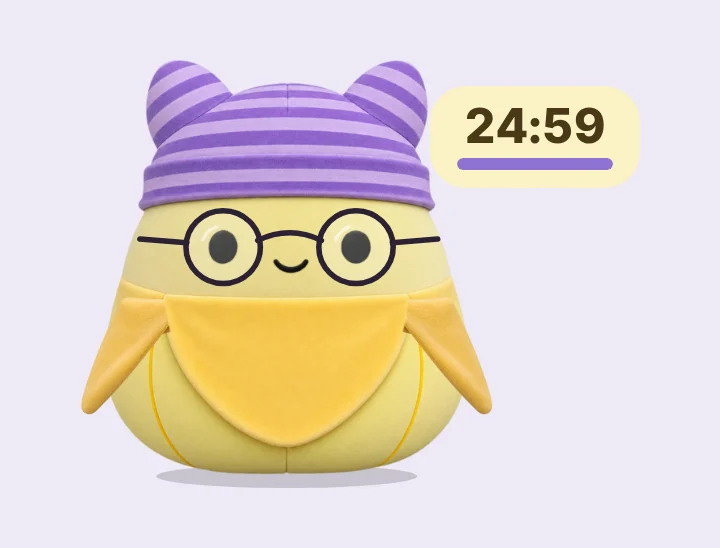

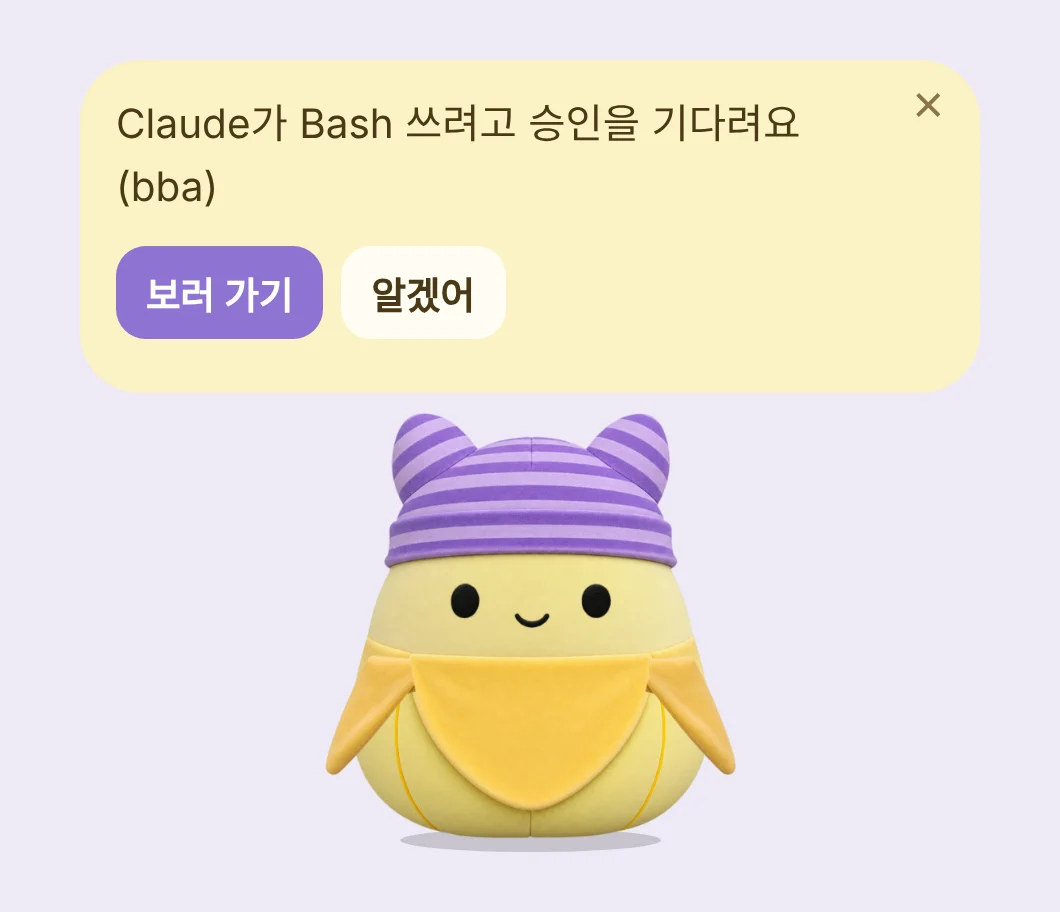
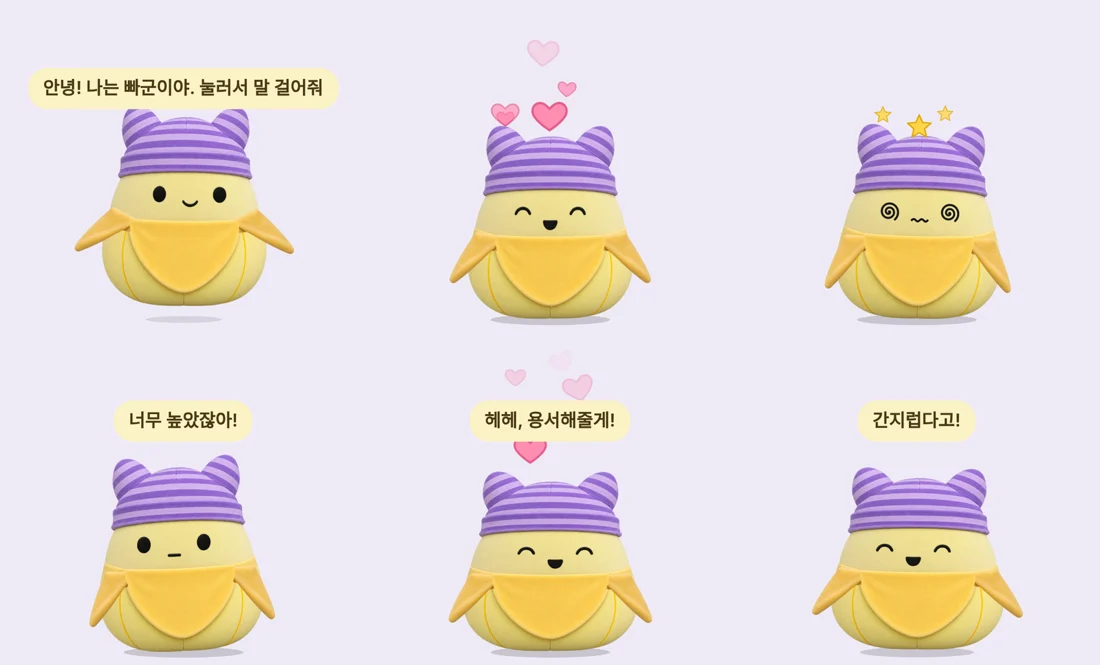
- 대화Chat누르면 말풍선이 열리고 Claude 또는 ChatGPT와 대화해요. 각자 쓰는 계정으로요.Click it to talk with Claude or ChatGPT, using your own account.
- 집중 타이머Focus timer오늘 집중한 시간과 연속 일수를 기억하고, 하루 목표를 채우면 축하해줘요.It remembers today's focus time and your streak, and cheers when you hit your daily goal.
- 일정 알림Reminders"3시에 미팅 있어"라고 하면 그 시간에 소리, 맥 알림, 말풍선으로 알려줘요."Meeting at 3pm" and it tells you on time, with a sound, a Mac notification and a bubble.
- 끌어다 놓기Drag and drop파일이나 글을 올리면 요약, 번역, 맞춤법을 봐줘요.Drop a file or text on it to summarize, translate or proofread.
- 내 캐릭터 보관함My characters여러 캐릭터를 저장해 두고 바꿔 데려와요. 친밀도는 캐릭터마다 따로예요.Keep several characters and switch between them. Each one has its own relationship with you.
- 같이 지내기Life together친해질수록 이름을 불러주고 콧노래도 불러요. 만난 지 100일이면 축하도 해줘요.As you get closer it calls you by name and hums. It celebrates your 100th day together too.
- 편하게Handy차분 모드, 조용 모드, 크기 4단계, 어디서든 부르는 단축키 ⌃⌥B.Calm mode, quiet mode, four sizes, and ⌃⌥B to call it over from anywhere.
- 서버 없음No server대화는 내가 로그인한 Claude나 ChatGPT 계정으로 바로 가요. 펫은 파일을 건드리지 않아요.Chats go straight to your own Claude or ChatGPT account. The pet never touches your files.

AI 연결하기 (선택)Connect an AI (optional)
말을 걸고 싶다면, 연결해요Connect to chat
이미 사용하는 AI로 대화해요.It chats through the AI you already use.
- 1. 터미널 열기1. Open TerminalCmd + Space를 누르고 "터미널"을 입력해요.Press Cmd + Space and type "Terminal".
- 2. Claude Code 설치2. Install Claude Code
curl -fsSL https://claude.ai/install.sh | bash - 3. 로그인3. Log in브라우저에서 Claude 계정으로 로그인해요.Log in with your Claude account in the browser.
claude - 4. 펫에서 확인4. Check on the pet펫을 누르고 다시 확인. "Claude 연결 완료!"면 끝이에요.Click the pet, then Check again. "Claude connected!" means you're done.
- 1. 터미널 열기1. Open TerminalCmd + Space를 누르고 "터미널"을 입력해요.Press Cmd + Space and type "Terminal".
- 2. Codex 설치2. Install Codex
curl -fsSL https://chatgpt.com/codex/install.sh | sh - 3. 로그인3. Log inSign in with ChatGPT를 골라요.Choose Sign in with ChatGPT.
codex - 4. 펫에서 확인4. Check on the pet펫을 누르고 다시 확인. "ChatGPT 연결 완료!"면 끝이에요.Click the pet, then Check again. "ChatGPT connected!" means you're done.
연결하지 않아도 쓰담쓰담, 집중 타이머, 일정 알림, 사무실 도우미, AI 작업 알림은 바로 돼요. Claude는 Pro나 Max, ChatGPT는 Plus 이상 구독이 필요해요.Without an AI, petting, the focus timer, reminders, the office helper and AI task alerts all work right away. Claude needs Pro or Max; ChatGPT needs Plus or above.
내 캐릭터 만들기Make your own character
내 인형 사진 한 장으로From one photo of your plush
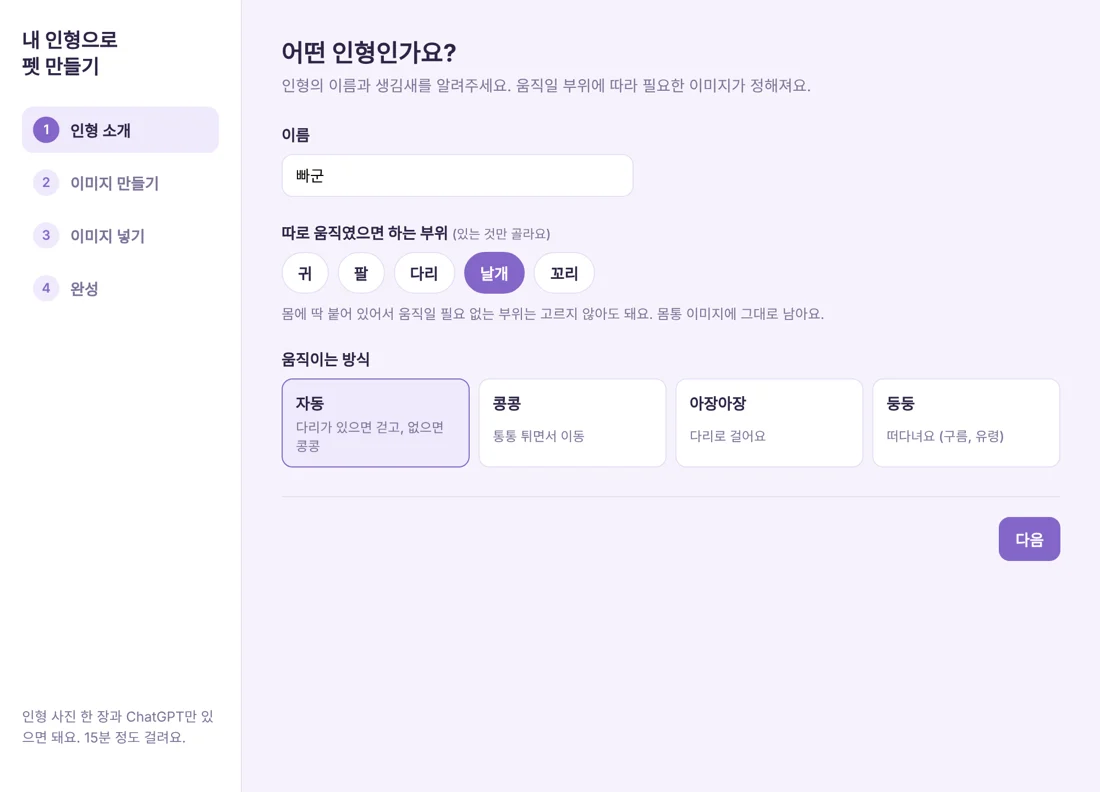
우클릭 > 캐릭터 > 내 인형으로 새로 만들기. 인형 정면 사진과 ChatGPT만 있으면 돼요.Right-click > Character > New from my plush. All you need is a front photo and ChatGPT.
- 1인형 소개About your plush이름을 짓고, 귀, 팔, 다리, 날개, 꼬리 중 있는 부위와 움직이는 방식을 골라요.Name it, pick the parts it has (ears, arms, legs, wings, tail) and how it moves.
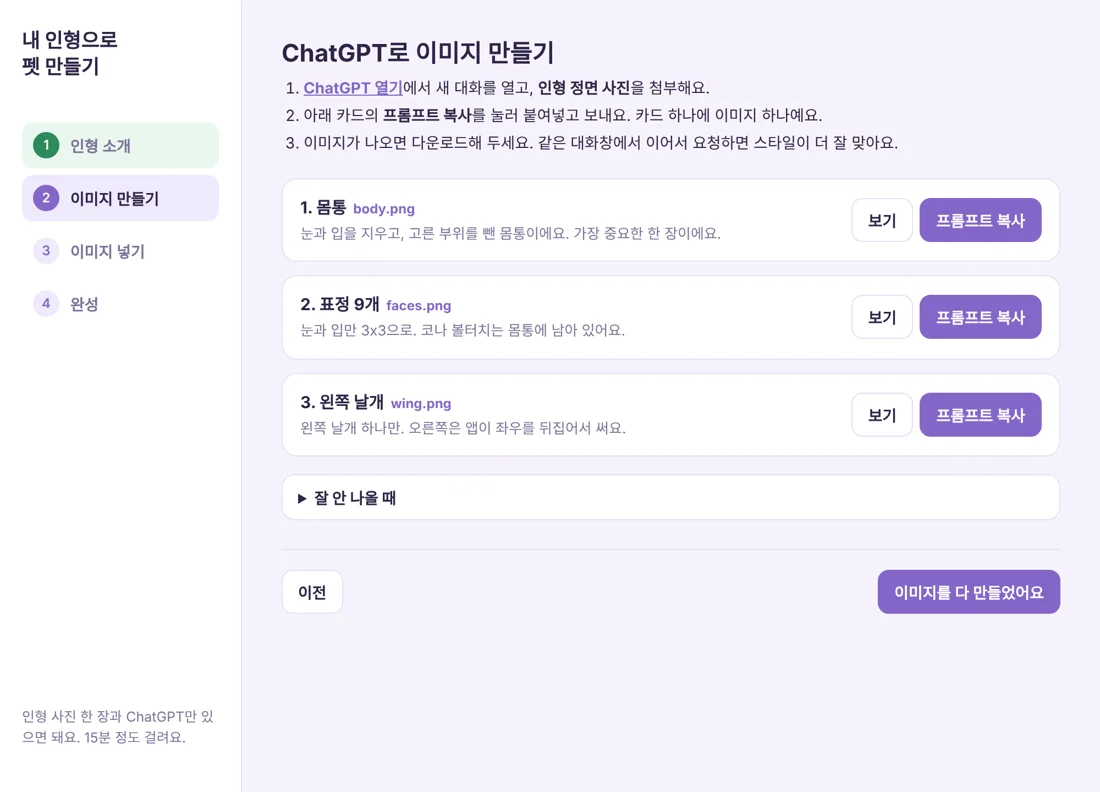 2이미지 만들기Make the images앱이 만들어 준 프롬프트를 복사해서 인형 사진과 함께 ChatGPT에 보내요.Copy the prompts the app writes and send them to ChatGPT with your photo.
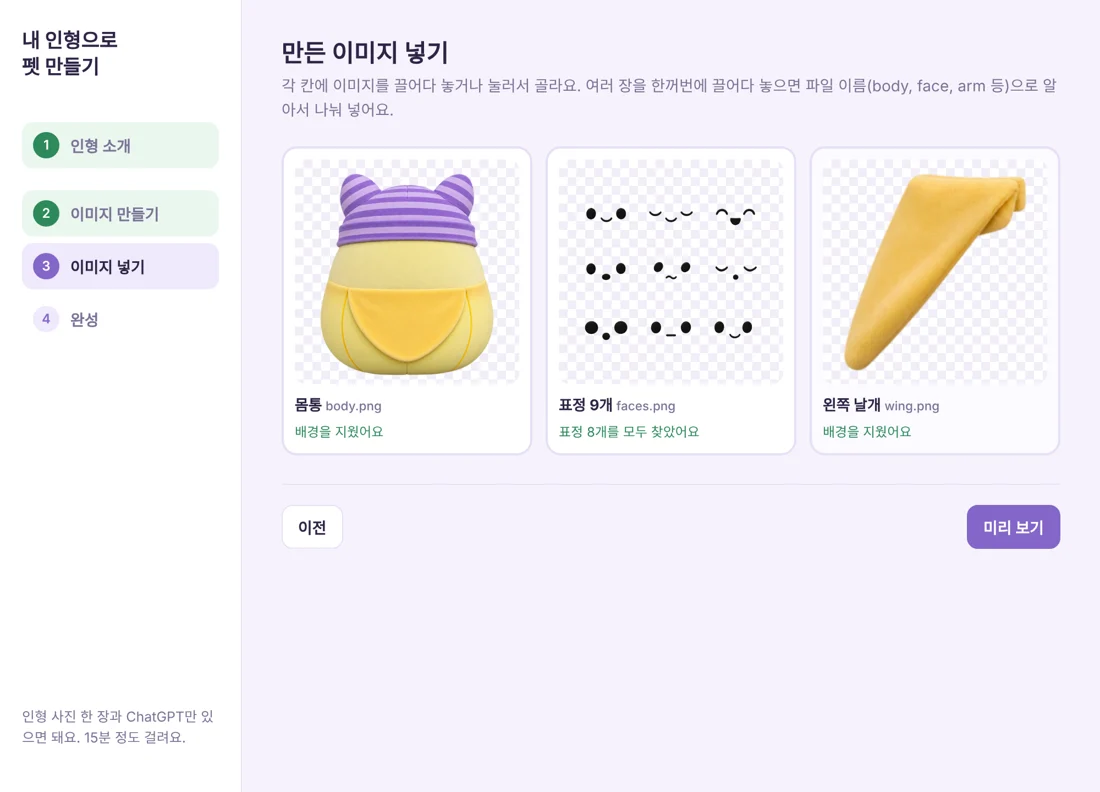 3이미지 넣기Drop them in받은 이미지를 끌어다 놓으면 배경을 지우고 표정 시트도 알아서 잘라요.Drop the images in. It removes the background and cuts the face sheet for you.
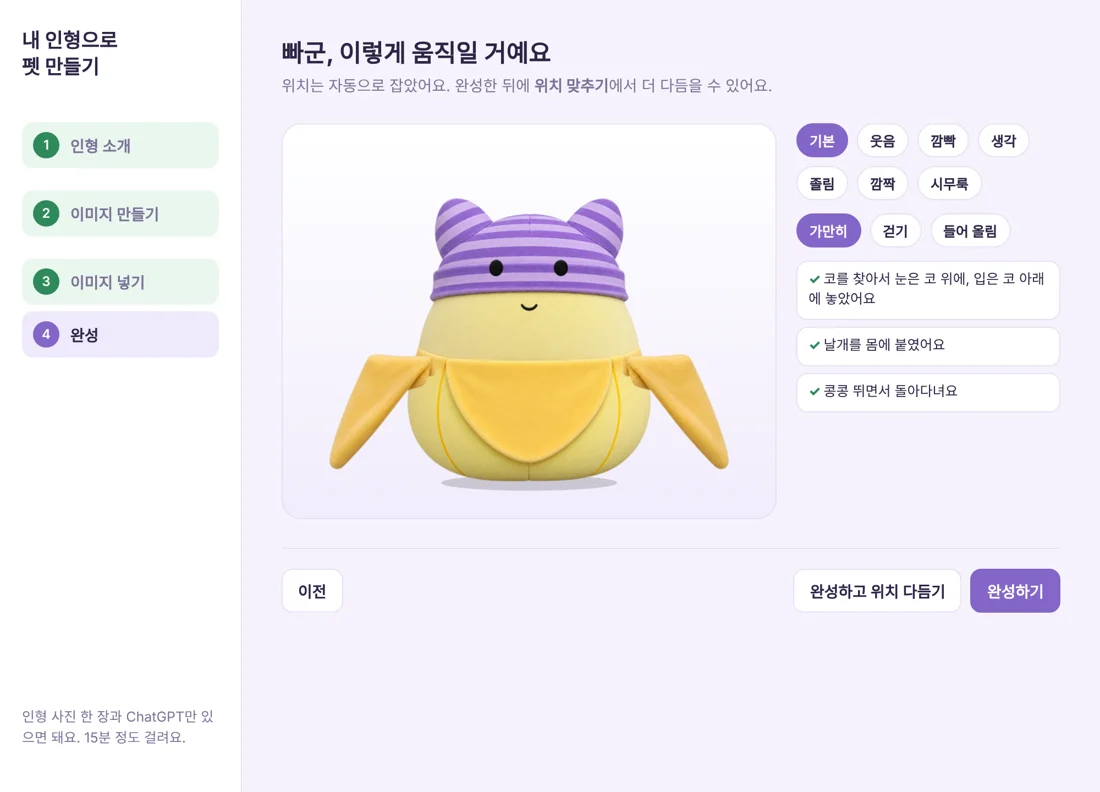 4완성Done눈, 코, 팔다리 위치를 자동으로 잡아요. 미리 보고 완성하기를 누르면 화면의 펫이 바뀌어요.It places the eyes, nose and limbs. Preview it, press Finish, and your pet changes on screen.
말로 하는 명령Things you can say
AI 연결 없이도 알아들어요It understands these without an AI connection
| 이렇게 말하면Say | 펫은The pet |
|---|---|
| "30분 집중할게""I'll focus for 30 minutes" | 안경 쓰고 집중 타이머Puts on glasses and starts the timer |
| "3시에 미팅 있어""Meeting at 3pm" | 그 시간에 알림Reminds you on time |
| "퇴근 카운트다운 켜줘", "월급 켜줘""Start the countdown", "show my earnings" | 사무실 카드 켜기Shows the office cards |
| "조용히 해줘""Be quiet" | 조용 모드Quiet mode |
| "작아져", "커져""Shrink", "grow" | 크기 바꾸기Changes size |
| "점프!", "춤 춰", "잘 자""Jump", "dance", "good night" | 작은 묘기A little trick |
| "릴리라고 불러줘""Call me Lilly" | 내 이름 기억하기Remembers your name |
FAQ
자주 묻는 질문Questions
AI 연결 없이도 쓸 수 있나요?Can I use it without an AI?
네. 반응, 집중 타이머, 일정 알림, 사무실 도우미, AI 작업 알림, 시간대 인사는 AI 없이 돼요. 대화와 끌어다 놓은 글 요약, 번역만 연결이 필요해요.Yes. Reactions, the focus timer, reminders, the office helper, AI task alerts and greetings all work without one. Only chat and summarizing or translating dropped text need it.
대화 내용은 어디로 가나요?Where do my chats go?
이 앱은 따로 서버가 없어요. 대화는 내가 로그인한 Claude(Anthropic) 또는 ChatGPT(OpenAI) 계정으로 바로 전송돼요.The app has no server. Chats go straight to the Claude (Anthropic) or ChatGPT (OpenAI) account you logged in with.
펫이 파일을 건드리거나 명령을 실행하나요?Does the pet touch my files or run commands?
아니요. 펫 전용 빈 폴더에서 대화만 해요. AI 작업 알림도 알려주기만 하고 승인을 대신 하지 않아요.No. It only chats, from its own empty folder. AI task alerts only tell you; they never approve anything for you.
"로그인이 필요해요"라고 나와요It says I need to log in
터미널에서 claude (ChatGPT라면 codex)를 실행해서 로그인한 뒤, 펫에게 다시 말을 걸어주세요.Run claude (or codex for ChatGPT) in Terminal, log in, then talk to the pet again.
펫이 너무 크거나 작아요The pet is too big or too small
우클릭 > 크기에서 고르거나 "작아져", "커져"라고 말해 보세요.Pick one under right-click > Size, or just say "shrink" or "grow".
더 자세한 사용법은 GitHub 안내서에 있어요.The full guide is on GitHub.

10주 동안 앱 10개를 만들고 있어요I'm making 10 apps in 10 weeks
Bba는 그중 세 번째 앱이에요. 만드는 과정은 인스타그램에 올려요.Bba is the third one. I share how each one gets made on Instagram.